Gahow Wang
445e491123
Gahow Wang
445e491123
third_party/vllm/ now tracked in git for direct patch management.
Based on vLLM v0.18.1 release with one patch applied:

  vllm/v1/core/sched/scheduler.py:
    Replace fatal assert with graceful skip when KV transfer callback
    arrives for an already-aborted request during PD disaggregated serving.

Future vLLM modifications should be made directly in third_party/vllm/
and committed normally. The patches/ directory is kept as documentation
of what changed from upstream.

Co-Authored-By: Claude Opus 4.6 (1M context) <noreply@anthropic.com>
996 B
996 B
Chatbox
Chatbox is a desktop client for LLMs, available on Windows, Mac, Linux.
It allows you to deploy a large language model (LLM) server with vLLM as the backend, which exposes OpenAI-compatible endpoints.
Prerequisites
Set up the vLLM environment:
pip install vllm
Deploy
-
Start the vLLM server with the supported chat completion model, e.g.
vllm serve qwen/Qwen1.5-0.5B-Chat -
Download and install Chatbox desktop.
-
On the bottom left of settings, Add Custom Provider
- API Mode:
OpenAI API Compatible - Name: vllm
- API Host:
http://{vllm server host}:{vllm server port}/v1 - API Path:
/chat/completions - Model:
qwen/Qwen1.5-0.5B-Chat
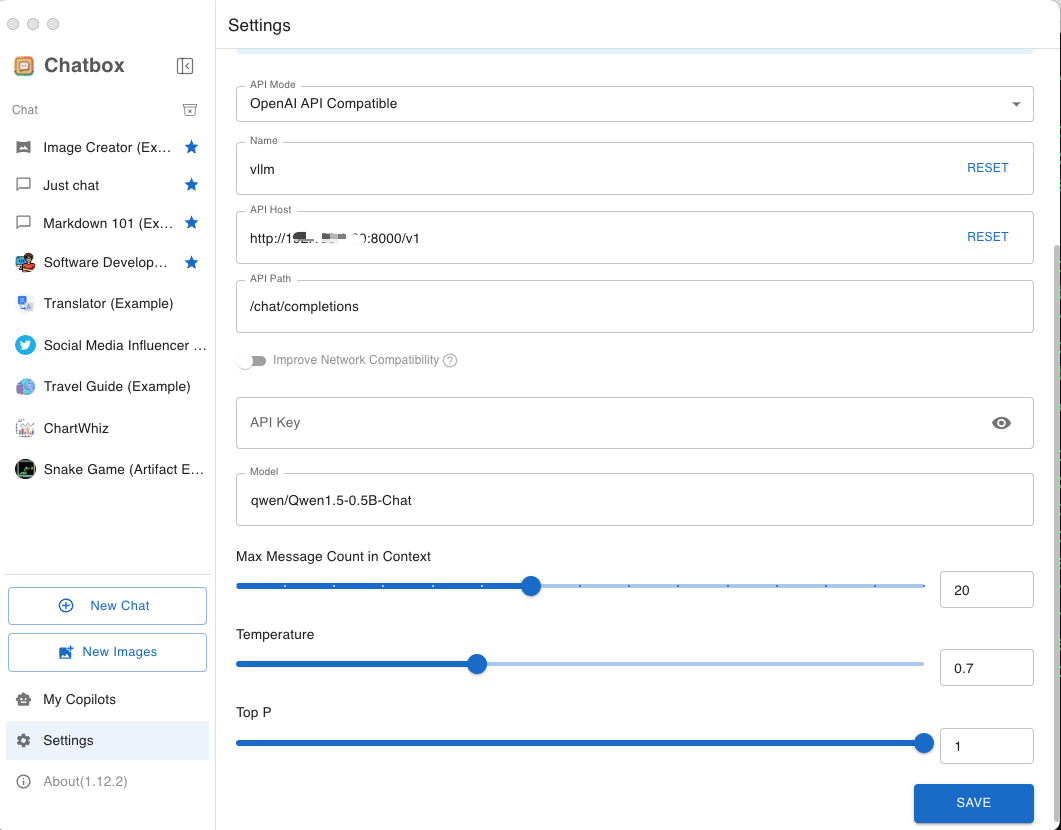
- API Mode:
-
Go to
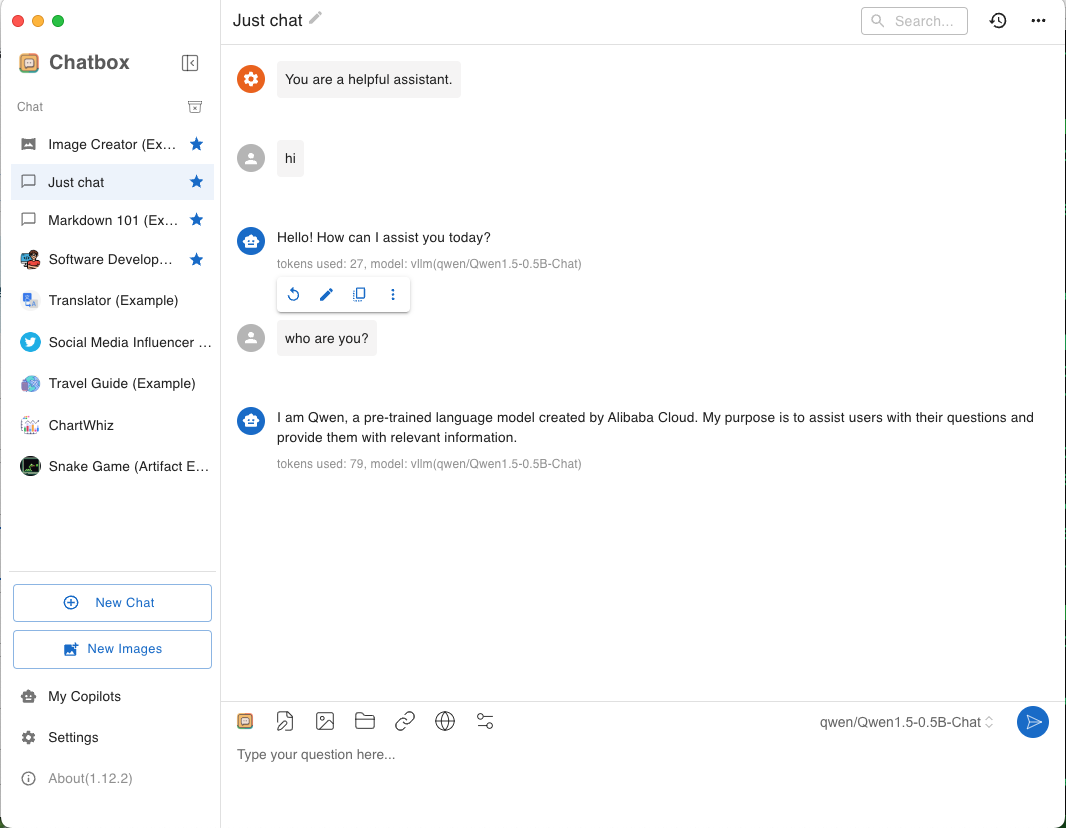
Just chat, and start to chat: