Gahow Wang
445e491123
Gahow Wang
445e491123
third_party/vllm/ now tracked in git for direct patch management.
Based on vLLM v0.18.1 release with one patch applied:

  vllm/v1/core/sched/scheduler.py:
    Replace fatal assert with graceful skip when KV transfer callback
    arrives for an already-aborted request during PD disaggregated serving.

Future vLLM modifications should be made directly in third_party/vllm/
and committed normally. The patches/ directory is kept as documentation
of what changed from upstream.

Co-Authored-By: Claude Opus 4.6 (1M context) <noreply@anthropic.com>
1.3 KiB
1.3 KiB
Open WebUI
Open WebUI is an extensible, feature-rich, and user-friendly self-hosted AI platform designed to operate entirely offline. It supports various LLM runners like Ollama and OpenAI-compatible APIs, with built-in RAG capabilities, making it a powerful AI deployment solution.
To get started with Open WebUI using vLLM, follow these steps:
-
Install the Docker.
-
Start the vLLM server with a supported chat completion model:
vllm serve Qwen/Qwen3-0.6B-Chat!!! note When starting the vLLM server, be sure to specify the host and port using the
--hostand--portflags. For example:```console vllm serve <model> --host 0.0.0.0 --port 8000 ``` -
Start the Open WebUI Docker container:
docker run -d \ --name open-webui \ -p 3000:8080 \ -v open-webui:/app/backend/data \ -e OPENAI_API_BASE_URL=http://0.0.0.0:8000/v1 \ --restart always \ ghcr.io/open-webui/open-webui:main -
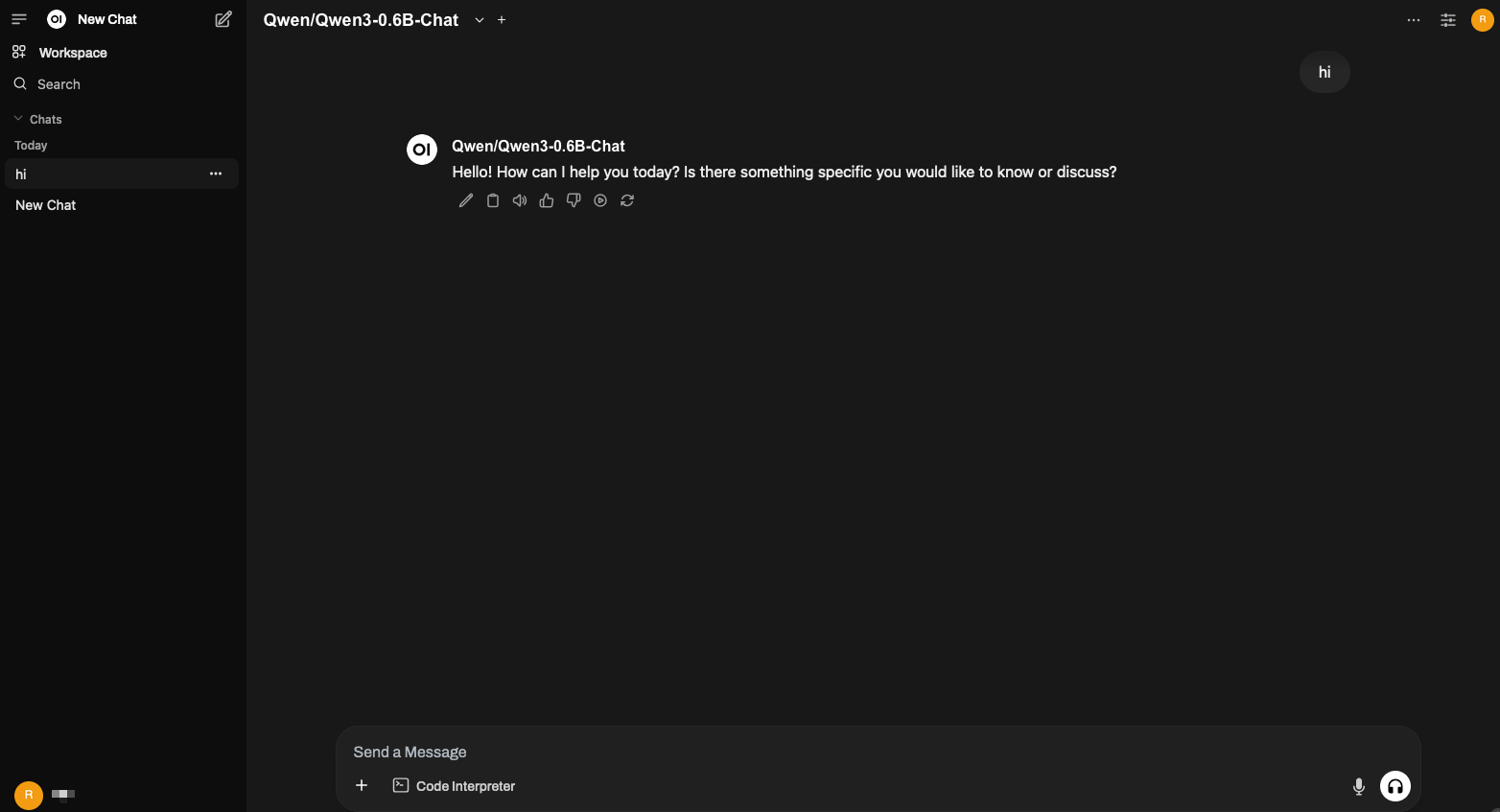
Open it in the browser: http://open-webui-host:3000/
At the top of the page, you should see the model
Qwen/Qwen3-0.6B-Chat.