Gahow Wang
445e491123
Gahow Wang
445e491123
third_party/vllm/ now tracked in git for direct patch management.
Based on vLLM v0.18.1 release with one patch applied:

  vllm/v1/core/sched/scheduler.py:
    Replace fatal assert with graceful skip when KV transfer callback
    arrives for an already-aborted request during PD disaggregated serving.

Future vLLM modifications should be made directly in third_party/vllm/
and committed normally. The patches/ directory is kept as documentation
of what changed from upstream.

Co-Authored-By: Claude Opus 4.6 (1M context) <noreply@anthropic.com>
1.2 KiB
1.2 KiB
Streamlit
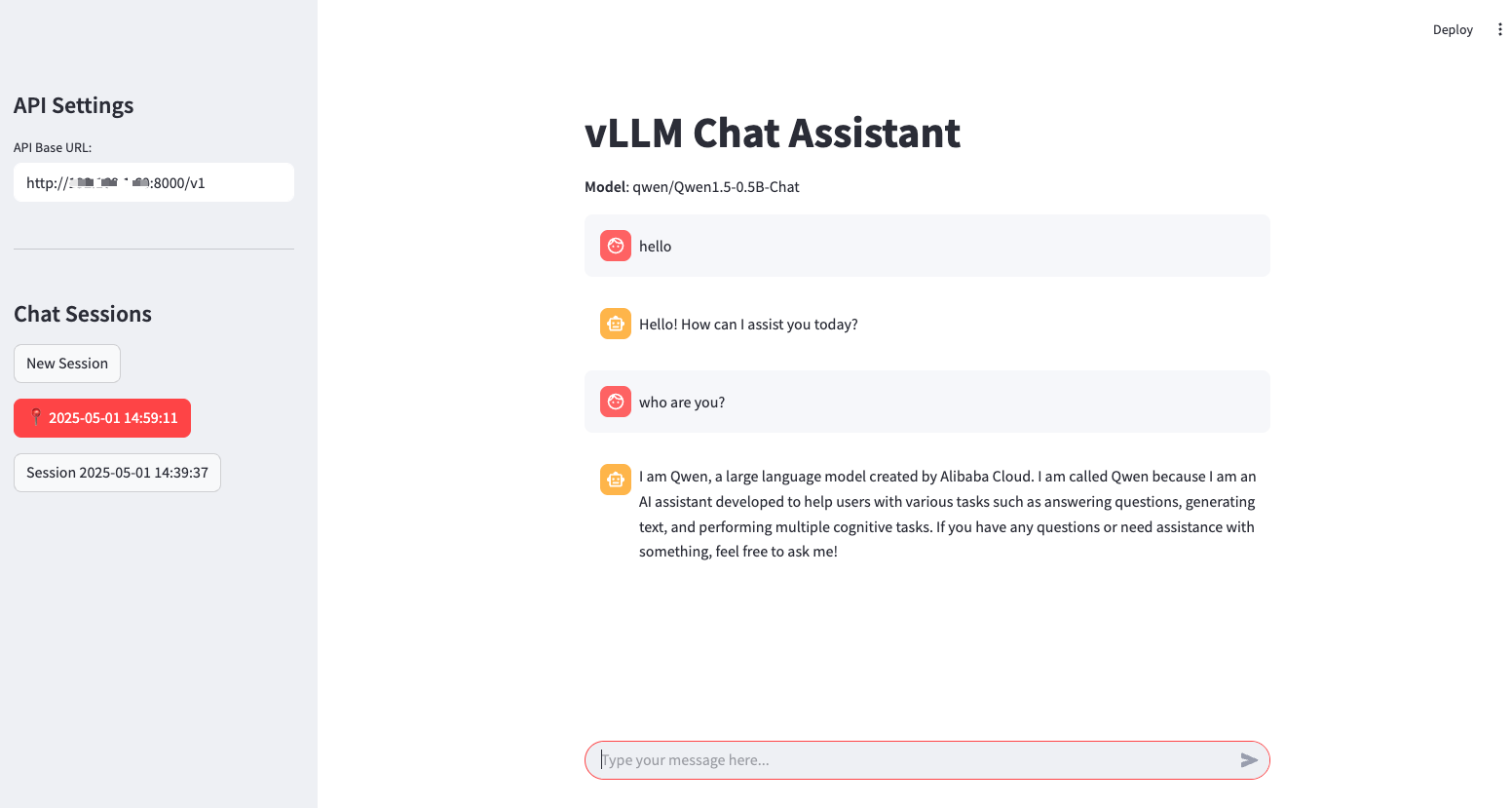
Streamlit lets you transform Python scripts into interactive web apps in minutes, instead of weeks. Build dashboards, generate reports, or create chat apps.
It can be quickly integrated with vLLM as a backend API server, enabling powerful LLM inference via API calls.
Prerequisites
Set up the vLLM environment by installing all required packages:
pip install vllm streamlit openai
Deploy
-
Start the vLLM server with a supported chat completion model, e.g.
vllm serve Qwen/Qwen1.5-0.5B-Chat -
Use the script: examples/online_serving/streamlit_openai_chatbot_webserver.py
-
Start the streamlit web UI and start to chat:
streamlit run streamlit_openai_chatbot_webserver.py

# or specify the VLLM_API_BASE or VLLM_API_KEY
VLLM_API_BASE="http://vllm-server-host:vllm-server-port/v1" \
    streamlit run streamlit_openai_chatbot_webserver.py

# start with debug mode to view more details
streamlit run streamlit_openai_chatbot_webserver.py --logger.level=debug